
For players in the United Kingdom, using a casino on a tablet can be a convenient middle ground between a phone and a desktop. The larger display makes menus and game controls easier to inspect, while a touchscreen keeps navigation direct. This review looks at the F7 Casino tablet login experience and the practical checks UK players should make before registering or depositing. Casino features, payment options and availability can change, so confirm the current details on the site before you play.
Opening F7 Casino on a tablet
A tablet browser is usually the simplest place to begin. Open the casino’s official website, check that the address is correct, and look for the login or registration option. A responsive site should adapt its layout to the screen without requiring a separate desktop-style page. If the text appears too small or buttons overlap, try rotating the tablet, adjusting the browser zoom, or using another supported browser.
F7 Casino’s exact interface may vary by device, browser version and account status. New visitors may see a welcome panel or promotional message before reaching the main lobby. Existing customers should be able to find the sign-in control near the top of the page or inside a menu. Avoid saving passwords on a shared tablet, and use the device’s screen lock if other people can access it.
Login and account access
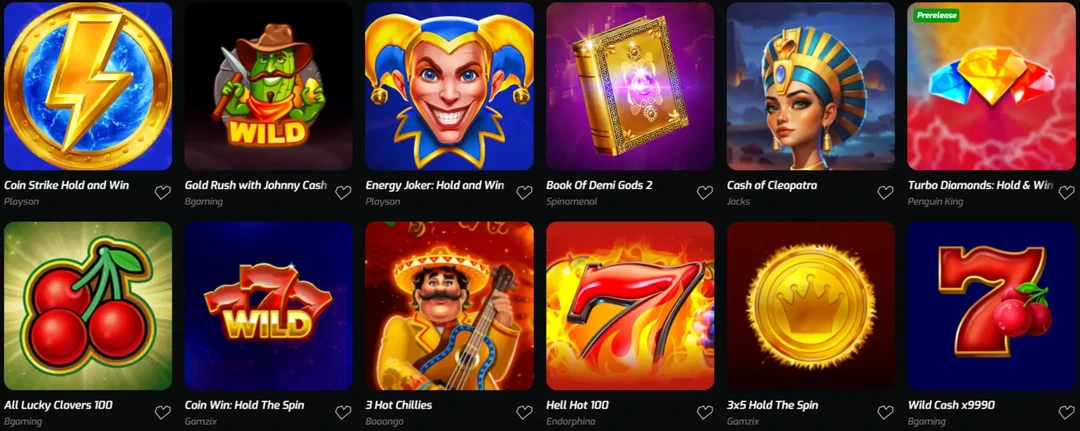
To sign in, enter the email address or username associated with the account and the correct password. Check the keyboard’s autocorrect and capitalisation settings: tablet keyboards can alter usernames or add a space at the end of a password. If the details are rejected, re-enter them carefully rather than repeatedly guessing. Use the site’s password recovery option if necessary, and follow the instructions sent to the registered contact address.
Some casino accounts may require extra verification, especially when a player updates personal details, requests a withdrawal, or logs in from an unfamiliar device. Keep account information accurate and make sure you can access the email address and phone number linked to the profile. Never share one-time codes or login credentials with someone claiming to be support.
Common tablet login issues
- Page does not load: Check the connection, refresh once, and try a current browser version.
- Login button is unresponsive: Close other tabs, disable problematic content-blocking settings temporarily, or switch browsers.
- Credentials are not accepted: Check for typos, keyboard substitutions and accidental spaces; use password recovery rather than repeated attempts.
- Verification is delayed: Check spam folders and confirm that the contact details on the account are still accessible.
- The lobby looks incomplete: Rotate the screen or reload the page after clearing outdated browser data.
Tablet usability after signing in
Once logged in, the main test is whether the lobby remains easy to navigate. A well-adapted layout should make it possible to browse categories, open a game and return to the lobby without losing the account session. On a tablet, landscape orientation can give games more room, while portrait mode may be more comfortable for browsing. Players should also check that game controls are large enough to use accurately and that important account links remain visible.
Connection quality matters. Live dealer games and animated slots can use more data and may be less stable on a weak Wi-Fi connection. If a game freezes, avoid tapping deposit or spin controls repeatedly. Wait for the page to respond, then check the game history or account balance before continuing. For mobile data users, review data consumption and network charges with their provider.
Payments, offers and UK checks
Before making a deposit, inspect the cashier for the payment methods currently available to your account. Minimum and maximum amounts, processing times and withdrawal rules can differ by method. Make sure the payment account is in your own name and review any verification requirements in advance. A deposit appearing quickly does not necessarily mean that a withdrawal will be processed at the same speed.
Promotions deserve the same careful reading. Check the qualifying deposit, wagering conditions, expiry date, game restrictions and any maximum cashout terms. Do not assume that an offer is available simply because it appears in an advertisement or on a page intended for another market. If you are wondering can special offers vary by country, the answer is yes: eligibility and terms may differ according to location, account status and the promotion itself.
UK players should verify that the operator is authorised to offer gambling services in Great Britain and read the applicable terms before creating an account. A website’s country settings or use of English does not, by itself, establish that it is licensed for the UK. Check the UK Gambling Commission’s public register independently, and do not use a service that is not permitted to accept players in your jurisdiction.
Responsible play on a tablet
The convenience of a tablet can make it easy to play for longer than intended. Set a budget before starting, decide how long to play, and use available account tools such as deposit limits, time reminders or self-exclusion where appropriate. Gambling should be treated as paid entertainment, not a way to earn income or recover losses. Never gamble with money needed for bills or borrow to continue playing.
Players in Great Britain who need support can contact the National Gambling Helpline, operated by GamCare, on 0808 8020 133, or use its online support services. If gambling is causing stress or affecting finances and relationships, take a break and seek help rather than trying to solve the problem through further play.
What the tablet experience does well—and what to check
The main advantage of accessing a casino on a tablet is flexibility: the screen is larger than a phone’s, yet the device remains easy to carry. A browser-based site also avoids the need to install an app, provided the casino’s current service supports the browser and operating system. On the other hand, the experience depends on the device, connection and site design. Older tablets may struggle with demanding games, and small interface elements can make account management awkward.
Before playing, check that the site uses a secure connection, that the account and cashier pages are readable, and that you can locate support and responsible-gambling information. Review the terms from the tablet itself rather than relying on promotional summaries. If any key information is missing or difficult to understand, pause and contact the operator through its official support channel.
Frequently asked questions
Do I need a dedicated app to log in on a tablet?
Not necessarily; A supported mobile browser may be enough, but the available access options can change. Use the official website and avoid installing files from unofficial download pages.
What should I do if I forget my password?
Use the password-reset link on the official login page and follow its instructions. If the recovery email does not arrive, check spam and verify that you entered the address linked to your account. Contact official support if you remain unable to access the profile.
Are casino offers automatically valid for UK players?
No. Offers can depend on location, account eligibility and the promotion’s terms. Read the conditions displayed in your account and confirm that the operator is authorised to serve your jurisdiction.
Is a tablet safer than a phone for casino play?
Neither device is automatically safer. Use a secure connection, keep the operating system and browser updated, protect the device with a passcode, and sign out on shared hardware. Do not let another person use your account.
Verdict
F7 Casino’s tablet login can be convenient when the site displays correctly, the browser is up to date and account details are entered carefully. The larger screen can make browsing and reading terms more comfortable than on a phone, but it does not remove the need to check licensing, payments, promotions and security. For UK players, the essential first step is confirming that the operator is legally authorised to serve them. Only then should they assess the tablet interface, set firm spending limits and decide whether the service suits their needs.
Recent Comments